
Optimal use of the audio system
- Type A and B
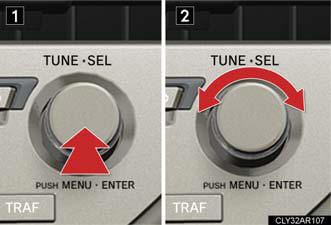
1. Displays the current mode.
2. Changes the following settings: • Sound quality and volume balance.
The sound quality and balance setting can be changed to produce the best sound.
• Automatic Sound Levelizer on/off.
- Type C
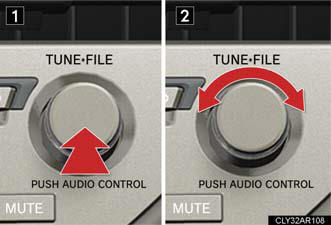
Adjusting sound quality and volume balance
Changing sound quality modes
Press  or
or
 .
.
Pressing the button changes sound modes in the following order:
“BAS”→“MID”→“TRE”→“FAD”→“BAL”→“ASL”
Adjusting sound quality
Turning or
adjusts the level.
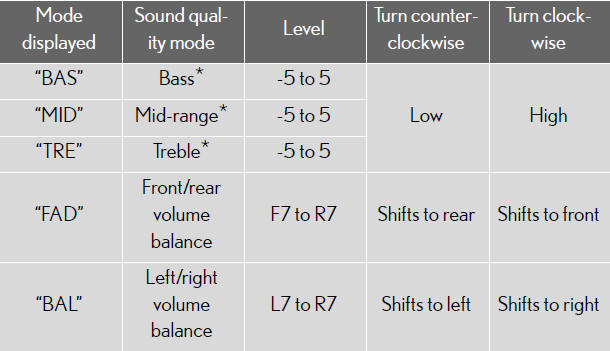
*: The sound quality level is adjusted individually in each audio mode.
Turning the Automatic Sound Levelizer (ASL) on/off
Turning or
clockwise turns on the ASL, and
turning
or counterclockwise turns off the
ASL.
ASL automatically adjusts the volume and tone quality according to the noise level as you drive your vehicle.
See also:
Lexus IS: The Details
For 2011, the Lexus IS gets a minor facelift that updates the car’s exterior,
interior, adds a new F Sport package and brings a first for the IS lineup: an
all-wheel drive IS 350. With AWD competi ...
Using the Bluetooth® audio system
Audio unit
1. Display.
A message, name, number,
etc. is displayed.
Lower-case characters and
special characters cannot be
displayed.
2. Displays information that is
too long to be displayed ...
Pre-Collision System
When the radar sensor detects an unavoidable frontal collision, safety
systems
such as the brakes and seat belts are automatically engaged in an
attempt to lessen vehicle damage.
Pre-collision se ...