
Emergency flashers
Use the emergency flashers if the vehicle malfunctions or is involved in
an
accident.
 Without navigation system
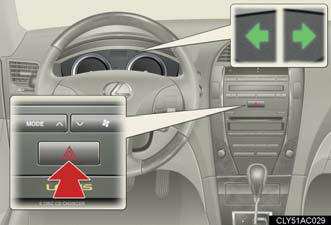
Press the switch to flash all the turn signal lights. To turn them off, press the switch once again.
With navigation system
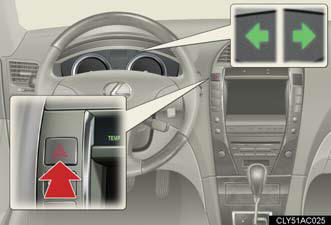
Press the switch to flash all the turn signal lights. To turn them off, press the switch once again.
NOTICE:
To prevent battery discharge
Do not leave the emergency flashers on longer than necessary when the engine is
not running.
See also:
Safety
Side-impact airbags for the front seats, side curtain-type airbags for the
first and second rows, Active TRAC traction control and antilock brakes are
included. Lexus' Vehicle Stability Control el ...
Do-it-yourself service precautions
If you perform maintenance yourself, be sure to follow the correct
procedure
given in these sections.
CAUTION:
The engine compartment contains many mechanisms and fluids that may move
sudde ...
Interior
The level of luxury inside is pretty high. I found it to be nearly as rich as
the larger, more expensive LX. Standout treatments included a leather-wrapped
steering wheel and dash, with stitching ...