
Energy monitor/consumption screen
You can view the status of your hybrid system on the multi-information
display
and the navigation system screen.
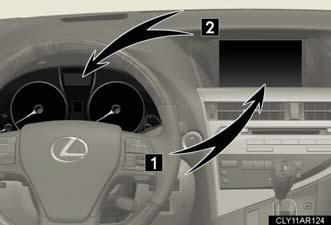
1. Navigation system screen (if equipped).
2. Multi-information display.
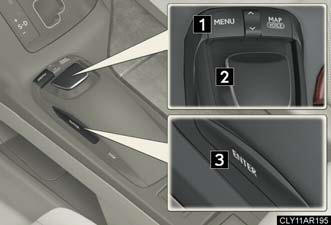
Remote Touch*
1. “MENU” button.
2. Remote Touch knob.
3. “ENTER” button.
*: For use of the Remote Touch, refer to “Navigation System Owner's Manual”.
Energy monitor
- Navigation system (if equipped)
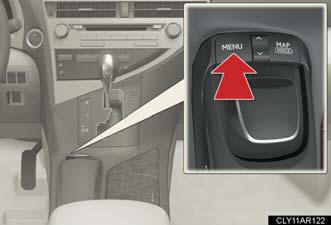
Press the “MENU” button.
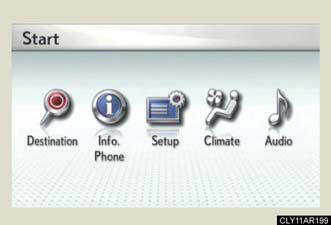
Select  on the
 screen
and press the “ENTER” button on
the Remote Touch.
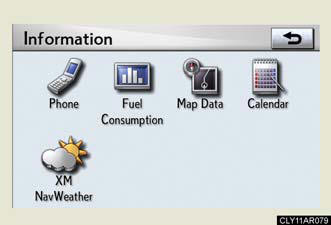
Select  and press the
“ENTER” button.
If the  or
or
screen is displayed, select
and press the “ENTER” button.
- Multi-information display
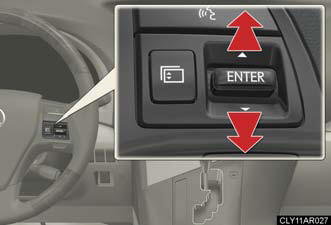
Toggle the “ENTER” switch on the steering wheel upward or downward through several items to select the energy monitor display.
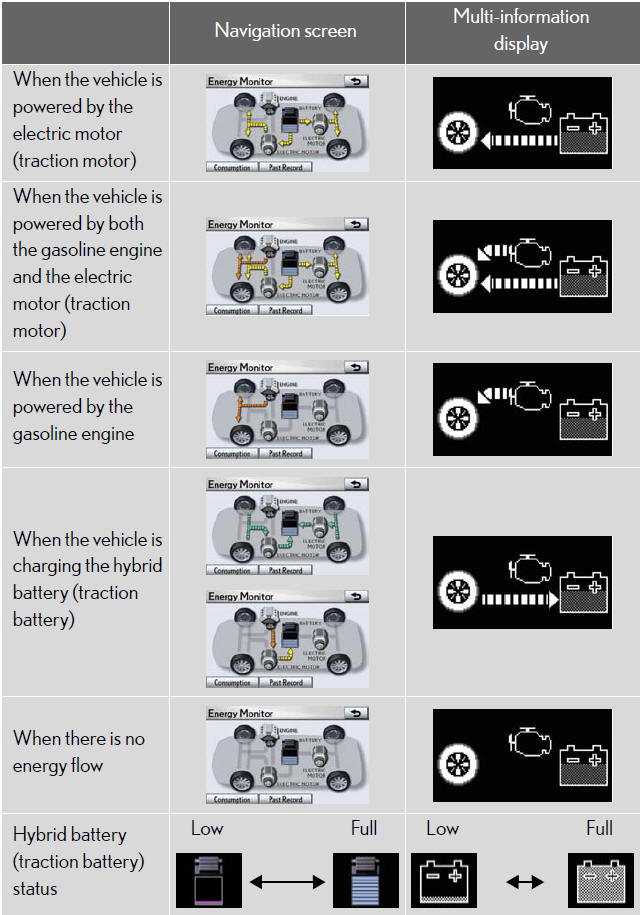
These images are examples only, and may vary slightly from actual conditions.
Consumption (vehicles with a navigation system)
1. Press the “MENU” button and select
 .
.
2. Select  and press the “ENTER”
button.
If the  screen does not appear, select
 and
and
press the “ENTER” button.
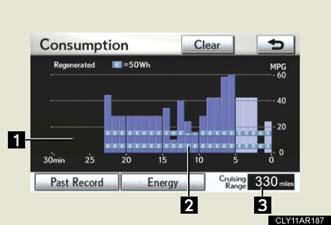
1. Fuel consumption in the past 30 minutes.
2. Regenerated energy in the past 30 minutes.
One symbol indicates 50 Wh. Up to 4 symbols are shown.
3. Cruising range.
Past record (vehicles with a navigation system)
1. Press the “MENU” button and select
.
2. Select and push the “ENTER”
button.
If the  screen does not appear,
select  and
and
press the “ENTER” button.
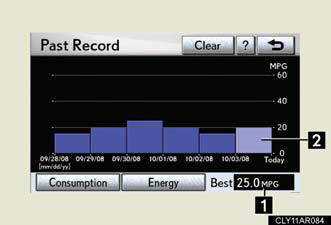
1. Best past fuel consumption.
2. Average fuel consumption.
These images are examples only, and may vary slightly from actual conditions.
Resetting the consumption data
Selecting  on the
 screen will reset the fuel
consumption and
the regenerated energy for the past 30 minutes. Selecting
 on the
 screen will reset the past records.
Selecting  will confirm
resetting of all the data (except cruising range).
See also:
Cleaning and protecting the vehicle exterior
Perform the following to protect the vehicle and maintain it in prime
condition:
l Working from top to bottom, liberally apply water to the vehicle
body, wheel wells and underside of the vehicle t ...
Lexus Enform with Safety Connect
The Lexus GS 350 and GS 460 offer an all-new telematics system, Lexus Enform™
with Safety Connect™, available by subscription. Complimentary one-year trial
subscriptions are included on all purcha ...
Electronic key battery
Replace the battery with a new one if it is discharged.
You will need the following items:
Flathead screwdriver.
Small Phillips-head screwdriver.
Lithium battery (CR1632).
Replacing the battery
...