
Checking and replacing fuses
If any of the electrical components do not operate, a fuse may have blown.
If this happens, check and replace the fuses as necessary.
1. Turn the “ENGINE START STOP” switch OFF.
2. Remove the engine compartment cover.
3. Open the fuse box cover.
 Engine compartment
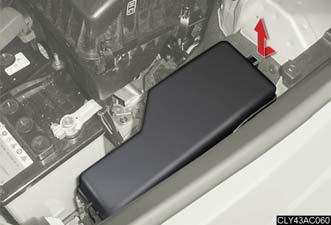
Push the tabs in and lift the lid off.
Driver's side instrument panel
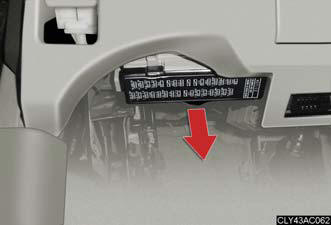
Remove the lid.
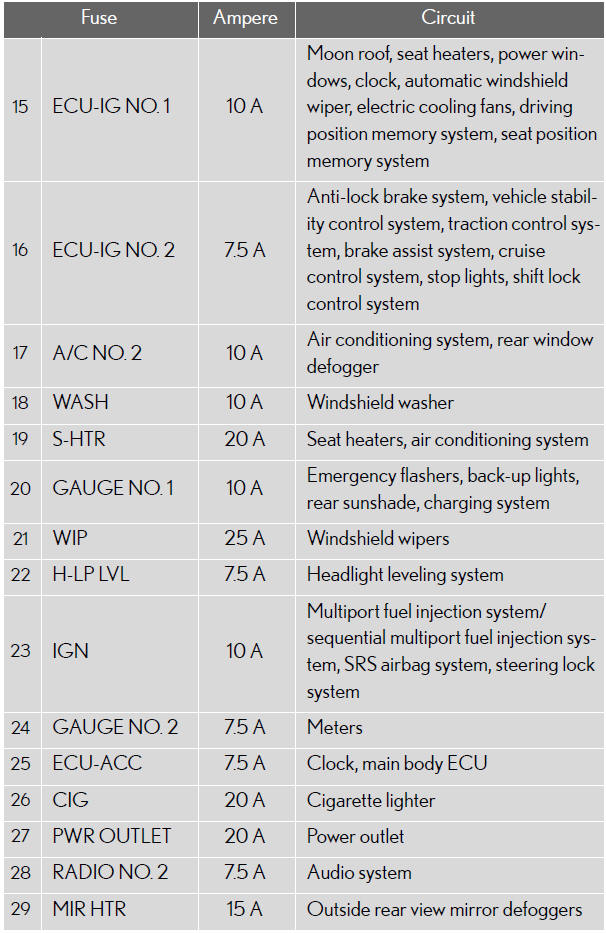
4. After a system failure, see “Fuse layout and amperage ratings” for details about which fuse to check.
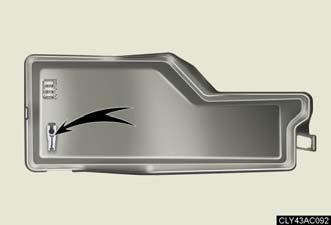
Remove the fuse with the pullout tool.
Check if the fuse has blown.
Type A
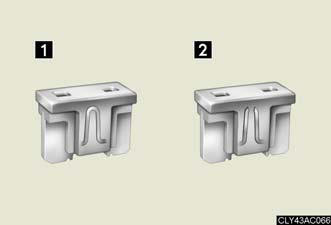
1. Normal fuse.
2. Blown fuse.
Replace it with one of an appropriate
amperage rating. The
amperage rating can be found
on the fuse box lid.
Type B
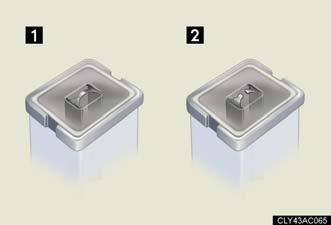
1. Normal fuse.
2. Blown fuse.
Replace it with one of an appropriate amperage rating.
Type C
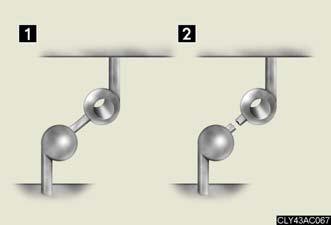
1. Normal fuse.
2. Blown fuse.
Contact your Lexus dealer.
Fuse layout and amperage ratings
Engine compartment
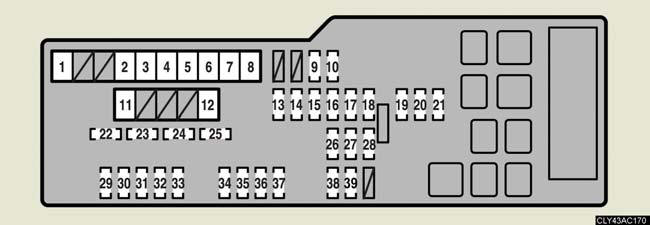
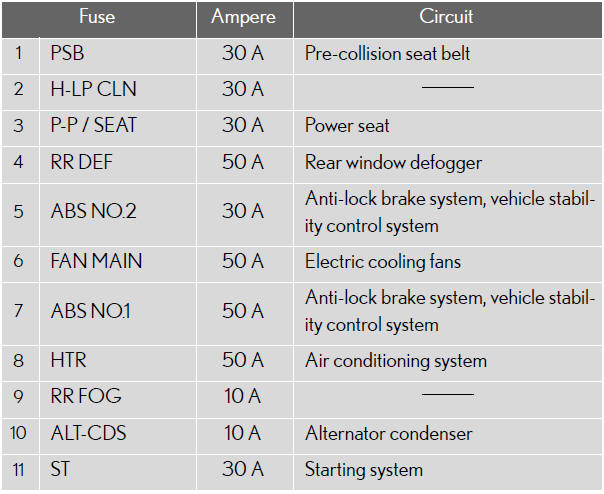
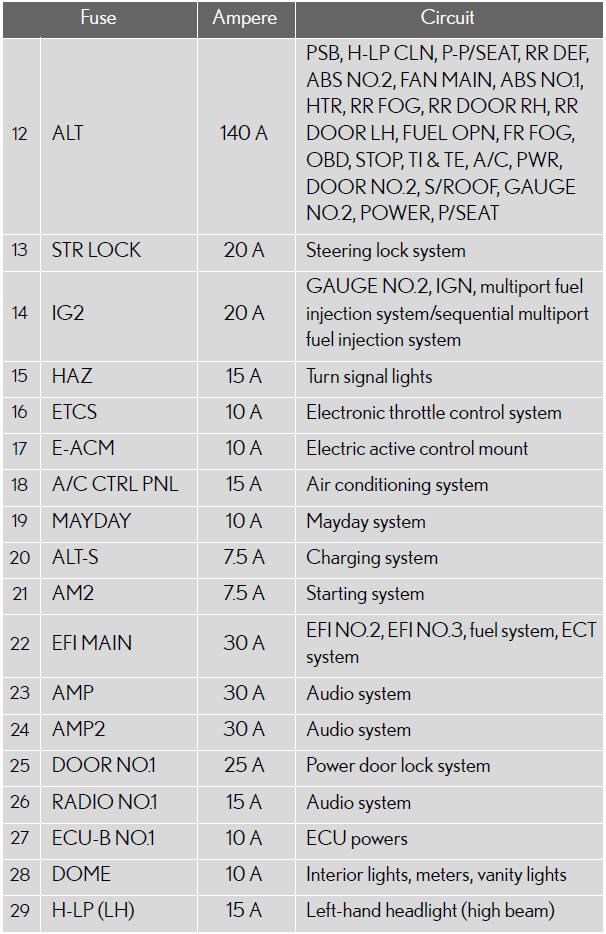
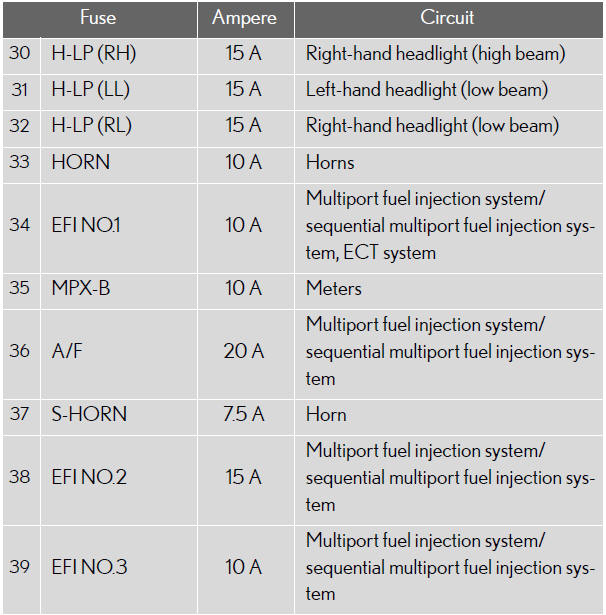
Driver’s side instrument panel
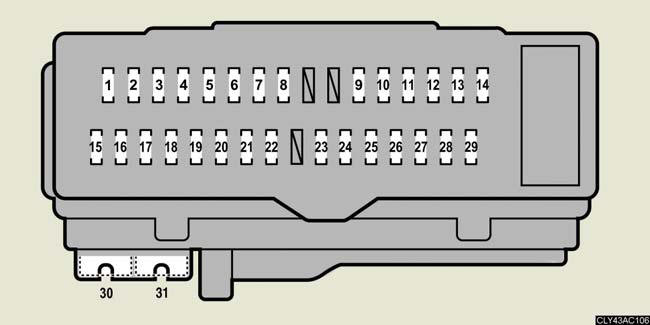
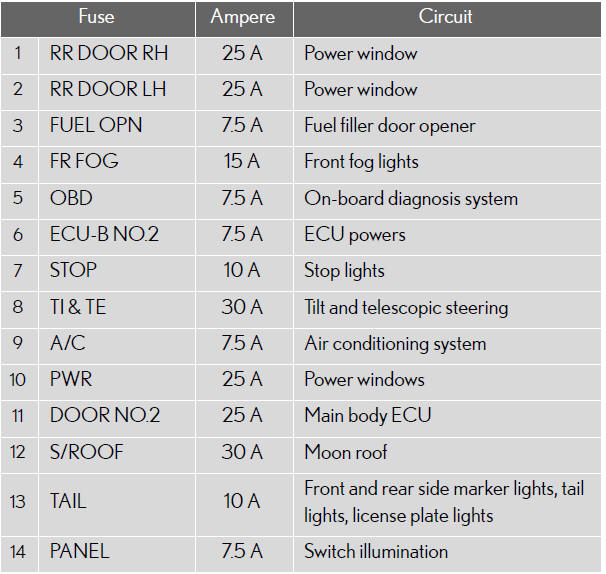

After a fuse is replaced
If the lights do not turn on even after the fuse has been replaced, a bulb
may
need replacement.
- If the replaced fuse blows again, have the vehicle inspected by your Lexus dealer.
If there is an overload in the circuits
The fuses are designed to blow before the entire wiring harness is damaged.
CAUTION:
To prevent system breakdowns and vehicle fire
Observe the following precautions.
Failing to do so may cause damage, and possibly a fire or injury.
- Never use a fuse of a higher amperage rating than indicated, or use any other object in place of a fuse.
- Always use a genuine Lexus fuse or equivalent.
Never replace a fuse with a wire, even as a temporary fix.
This can cause extensive damage or even fire.
- Do not modify fuses or the fuse box.
NOTICE:
Before replacing fuses
Have the cause of electrical overload determined and repaired by your Lexus
dealer.
See also:
Multi-information display
The multi-information display presents the driver with a variety of
drivingrelated
data, including the current outside air temperature.
Trip information.
Displays driving range, fuel consumptio ...
Child restraint systems
A child restraint system for a small child or baby must itself be properly
restrained on the seat with the lap portion of the lap/shoulder belt.
The laws of all 50 states of the U.S.A. and Canada no ...
If a warning message is displayed
If a warning is shown on the multi-information display, stay calm and
perform
the following actions:
1. Master warning light.
The master warning light also
comes on or flashes in order to
ind ...