
Emergency flashers
Use the emergency flashers if the vehicle malfunctions or is involved in
an
accident.
 Without navigation system
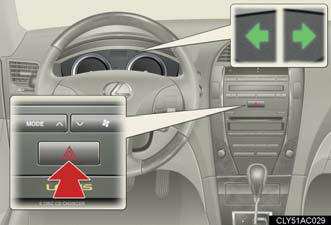
Press the switch to flash all the turn signal lights. To turn them off, press the switch once again.
With navigation system
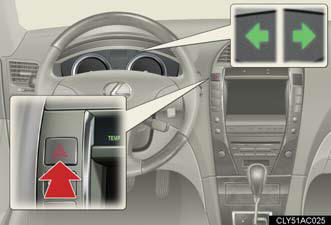
Press the switch to flash all the turn signal lights. To turn them off, press the switch once again.
NOTICE:
To prevent battery discharge
Do not leave the emergency flashers on longer than necessary when the engine is
not running.
See also:
Lexus IS: The Details
For 2011, the Lexus IS gets a minor facelift that updates the car’s exterior,
interior, adds a new F Sport package and brings a first for the IS lineup: an
all-wheel drive IS 350. With AWD competi ...
RX 350 in the Market
The RX was arguably the first luxury crossover SUV, and this model remains
competitive in a segment that's exploded with new offerings.
It helps that Lexus clearly decided to build a comfortable l ...
Sun visors
1. To set the visor in the forward
position, flip it down.
2. To set the visor in the side
position, flip down, unhook,
and swing it to the side.
3. To use the side extender,
place the visor i ...