
List of storage features
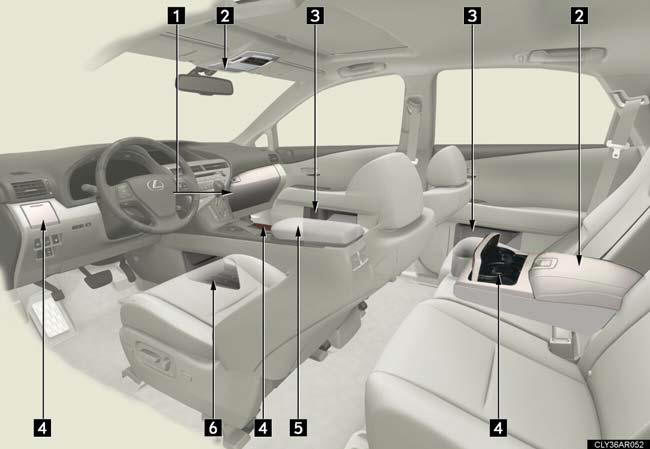
1. Glove box.
2. Auxiliary boxes (if equipped).
3. Bottle holders/door pockets.
4. Cup holders.
5. Console box.
6. Under tray.
See also:
DYNAMIC PACKAGE
The new Lexus CT 200h has been specifically developed to combine superior
handling and a rewarding driving experience with the ride comfort expected of
any Lexus.
The Lexus CT 200h benefits from ...
Auxiliary boxes
- Overhead
Press in the lid.
This box is useful for temporarily storing sunglasses and similar small items.
- Rear seat (if equipped)
Pull down the armrest.
Pull up ...
General maintenance
Listed below are the general maintenance items that should be performed
at the intervals specified in the “Warranty and Service Guide” or “Owner’s
Manual Supplement”. It is recommended that any prob ...