
Audio system
- Vehicles with a navigation system.
Owners of models equipped with a navigation system should refer to the “Navigation System Owner’s Manual”.
- Vehicles without a navigation system (type A).
CD player with a changer and AM/FM radio.
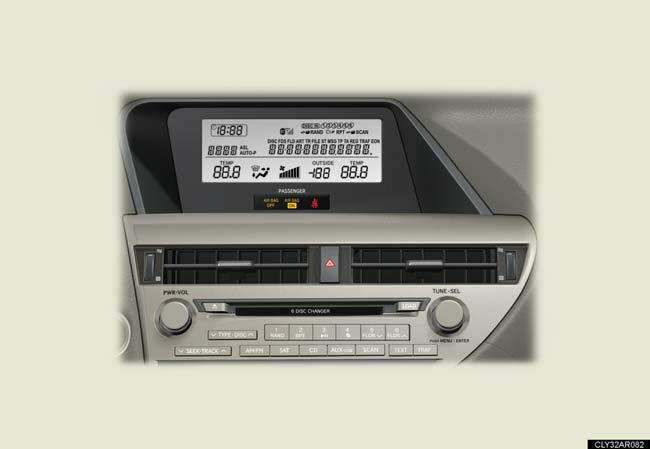
- Vehicles without a navigation system (type B).
CD player with a changer and AM/FM radio.
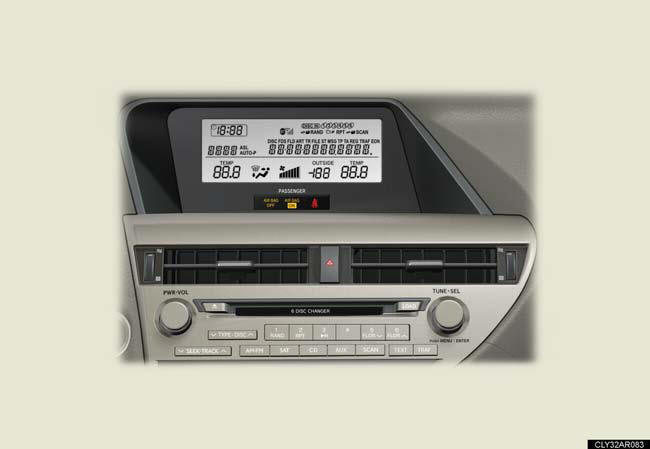
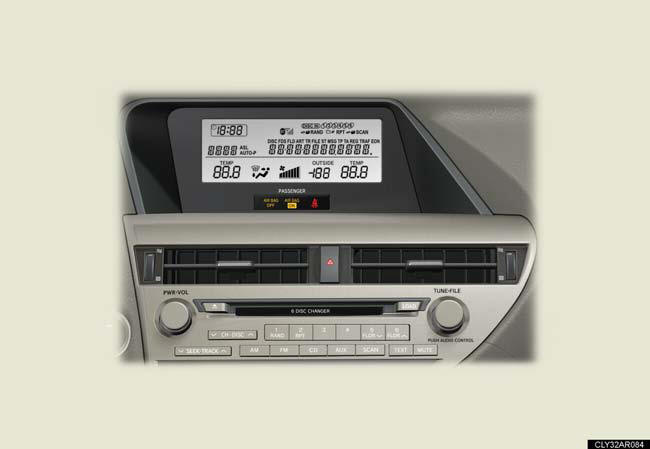
- Vehicles without a navigation system (type C).
CD player with a changer and AM/FM radio.
Using mobile phones
Interference may be heard through the audio system’s speakers if a mobile
phone is
being used inside or close to the vehicle while the audio system is operating.
CAUTION:
Certification
Part 15 of the FCC Rules
FCC Warning:
Any unauthorized changes or modifications to this equipment will void the user’s
authority to operate this device.
Laser products
• Do not take this unit apart or attempt to make any changes by yourself.
This is an intricate unit that uses a laser pickup to retrieve information from
the
surface of compact discs. The laser is carefully shielded so that its rays
remain
inside the cabinet. Therefore, never try to disassemble the player or alter any
of its parts since you may be exposed to laser rays and dangerous voltages.
• This product utilizes a laser.
Use of controls or adjustments or performance of procedures other than those specified herein may result in hazardous radiation exposure.
NOTICE:
To prevent 12-volt battery discharge
Do not leave the audio system on longer than necessary when the hybrid system is
off.
To avoid damaging the audio system Take care not to spill drinks or other fluids over the audio system.
See also:
Seat position memory (front passenger’s seat)
Your preferred front passenger seat position can be memorized and recalled with the touch of a button.
Two different seat positions can be entered into memory.
Entering a position to memory ...
Power windows
The power windows can be opened and closed using the following
switches.
1. Closing.
2. One-touch closing*.
3. Opening.
4. One-touch opening*.
*: Pushing the switch in the opposite
direction ...
Luxury/Comfort/Convenience
Already lauded for its comprehensive luxury, the Lexus LS 460 gains numerous
additional user-tech amenities for 2010. The driver's seat now features a
standard slide-away feature that makes ingres ...