
If a warning message is displayed
If a warning is shown on the multi-information display, stay calm and
perform
the following actions:
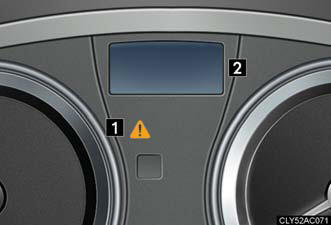
1. Master warning light.
The master warning light also
comes on or flashes in order to
indicate that a message is currently
being displayed on the
multi-information display.
2. Multi-information display.
If any of the warning message turns on again after performing the following actions, contact your Lexus dealer.
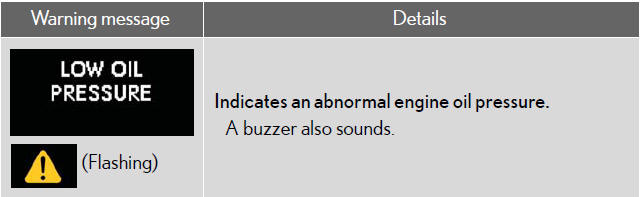
Stop the vehicle immediately.
The following warnings indicate the possibility of damage to the vehicle that may lead to an accident. Immediately stop the vehicle in a safe place and contact your Lexus dealer.
Have the vehicle inspected by your Lexus dealer immediately.
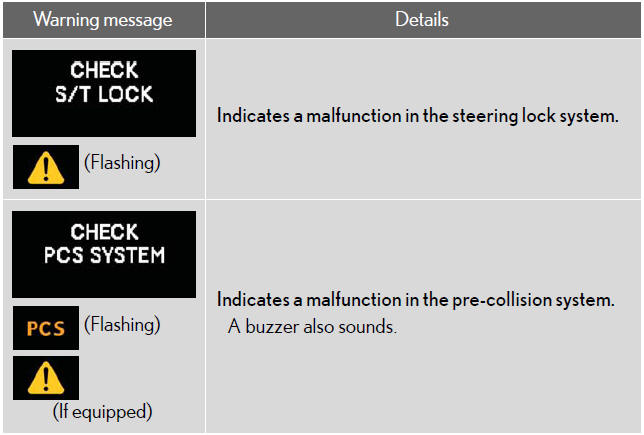
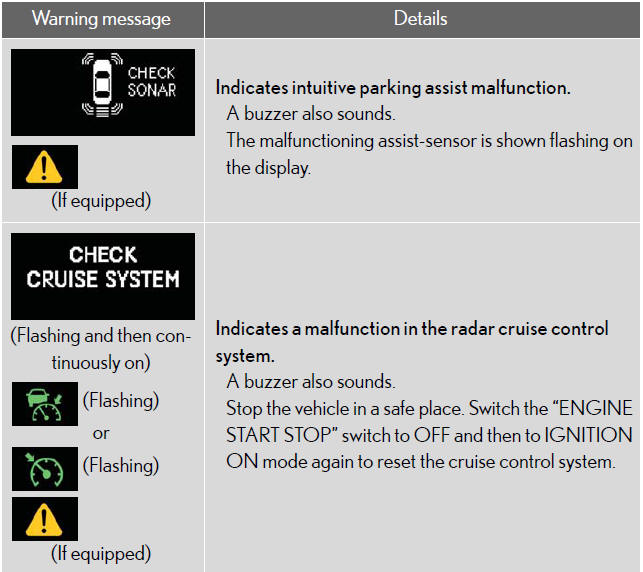
Failing to investigate the cause of the following warnings may lead to the system operating abnormally and possibly cause an accident. Have the vehicle inspected by your Lexus dealer immediately.
Follow the correction procedure.
After taking the specified steps to correct the suspected problem, check that the warning message turns off.
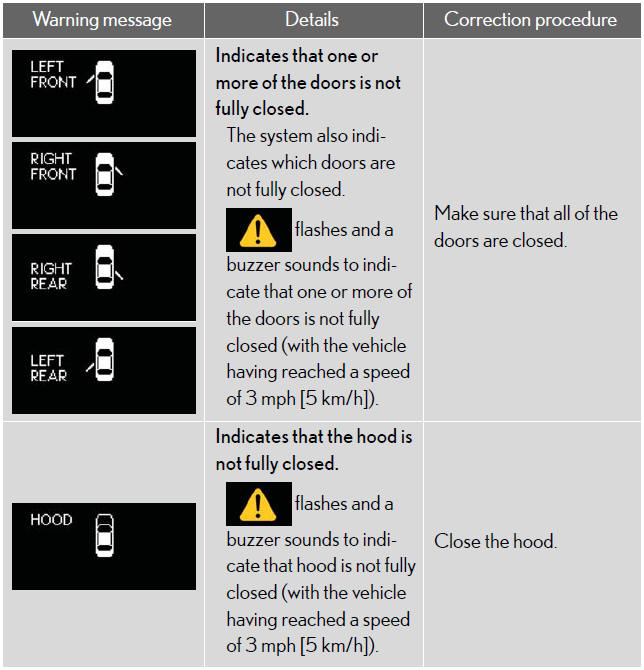
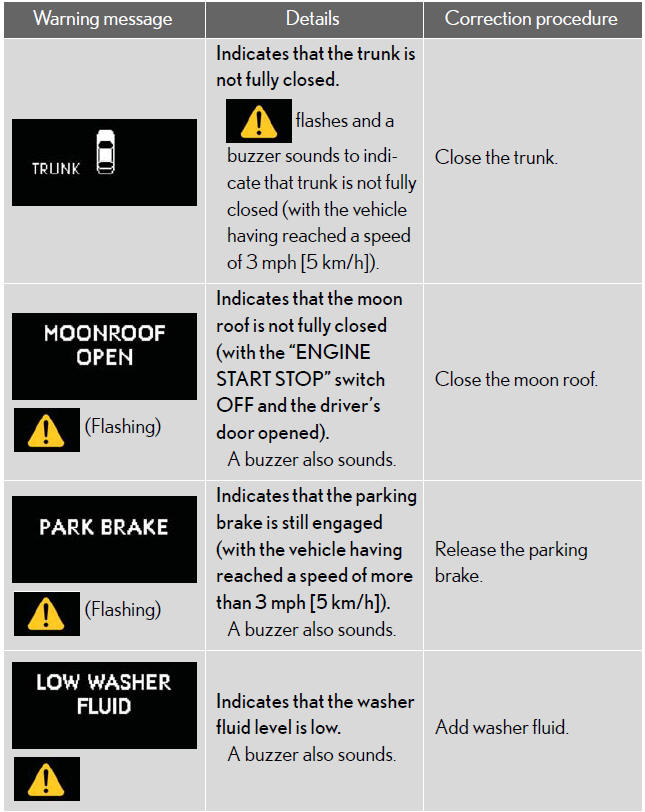
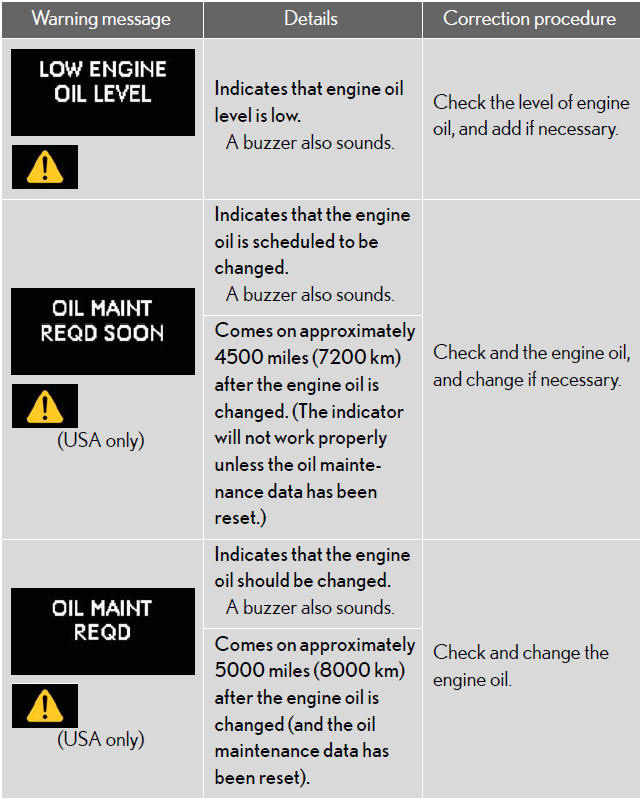
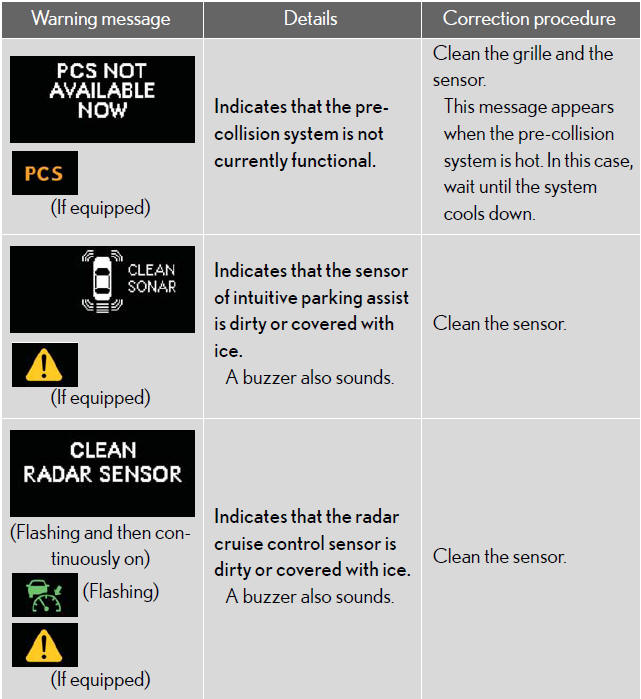
Changing the engine oil (USA only)
Make sure to reset the oil change system.
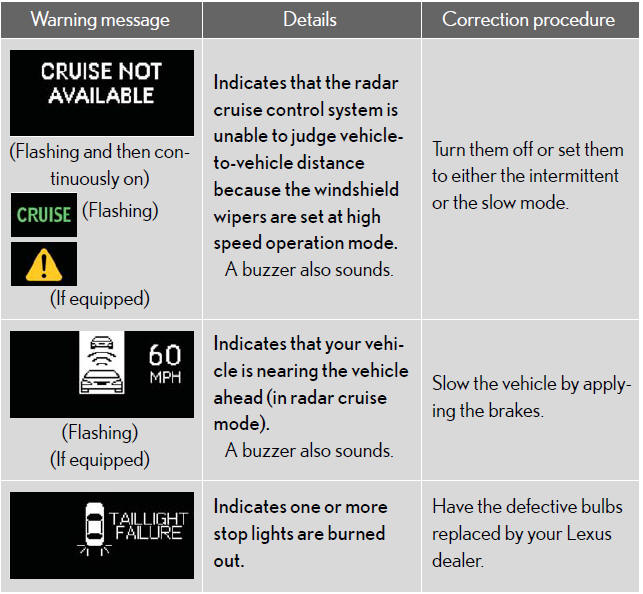
Warning light display in radar cruise mode
In the following cases, the warning light may not be displayed even if
vehicle-tovehicle
distance closes.
- When your vehicle and the vehicle ahead are traveling at the same speed or the vehicle ahead is traveling more quickly than your vehicle.
- When the vehicle ahead is traveling at a very low speed.
- Immediately after cruise control speed is set.
- At the instant the accelerator pedal is depressed.
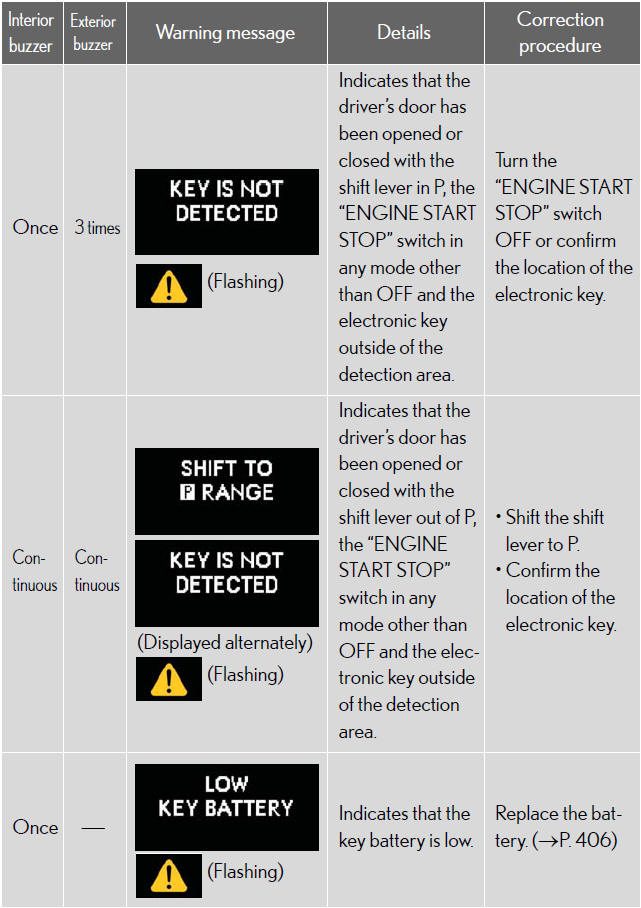
Follow the correction procedure for problem in smart access system with push-button start.
After taking the specified steps to correct the suspected problem, check that the warning message turns off.

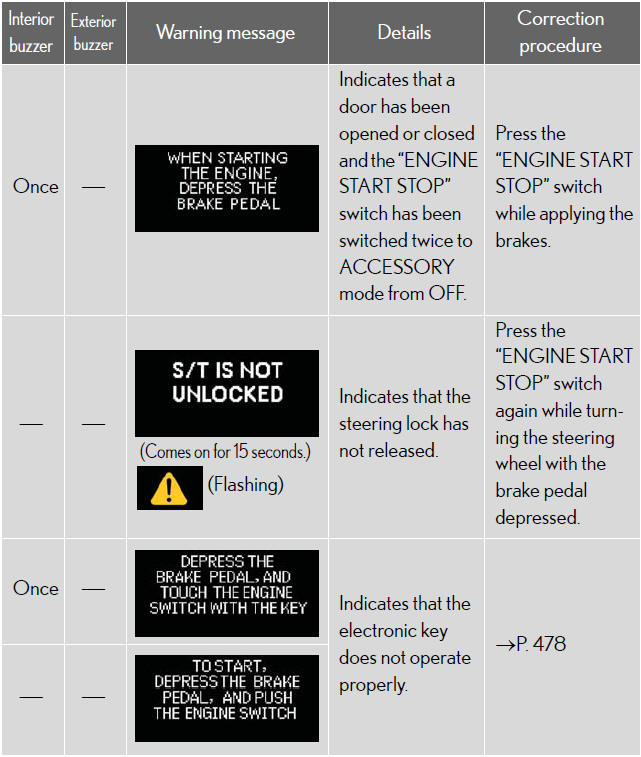
*: If the engine does not start when the electronic key is inside the
vehicle,
the electronic key battery may be depleted or there may be difficulties
receiving the signal from the key.
See also:
Items to initialize
After reconnecting or performing maintenance on the battery, the following
items must be initialized for normal system operation.
...
But does it go?
With less horsepower on tap than its V8 rivals, the GS 460 won’t win
stoplight races. That hardly means that it’s a slouch, however, its eight-speed
automatic firing off quick shifts even when lef ...
Using the radio
- Type A
- Type B
- Type C
Setting station presets (excluding XM® Satellite Radio)
1. Search for the desired stations by turning
or
or
pressing or
on
.
2. Press and hold the button ( ...