
Emergency flashers
Use the emergency flashers if the vehicle malfunctions or is involved in
an
accident.
 Without navigation system
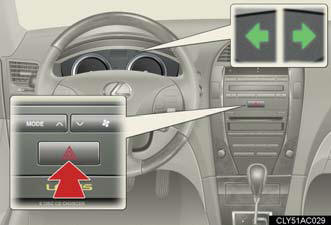
Press the switch to flash all the turn signal lights. To turn them off, press the switch once again.
With navigation system
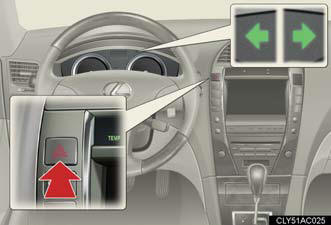
Press the switch to flash all the turn signal lights. To turn them off, press the switch once again.
NOTICE:
To prevent battery discharge
Do not leave the emergency flashers on longer than necessary when the engine is
not running.
See also:
2005 Lexus GX 470 review
The workings of the GX470 leave me oh so tired. Maybe it's the woman in me,
maybe it's the mom in me, but there's a lot about this SUV I don't get. The
first thing that strikes my negative vibe is ...
Engine immobilizer system
The vehicle's keys have built-in transponder chips that prevent the engine
from starting if the key has not been previously registered in the vehicle's
on-board computer.
Never leave the keys insid ...
Most recent Lexus GS 300
Last redesigned for 2006, the third-generation Lexus GS 300 lasted only one
year, as Lexus installed a powerful new 3.5-liter V6 in its rear-drive midsize
sedan the following year, prompting a nam ...