
Horn
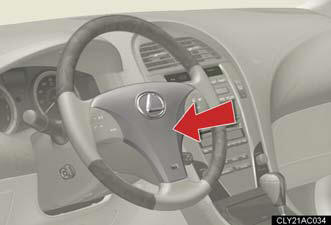
To sound the horn, press on or
close to the mark.
mark.
See also:
If your vehicle needs to be towed
If towing is necessary, we recommend having your vehicle towed by your
Lexus dealer or a commercial towing service, using a lift-type truck or a flat
bed truck.
Use a safety chain system for all to ...
Anti-glare inside rear view mirror
In AUTO mode, sensors are used to detect the headlights of vehicles
behind and automatically reduces the reflected light.
1. Turns AUTO mode ON/OFF
The indicator comes on when
AUTO mode is turne ...
If a warning message is displayed
If a warning is shown on the multi-information display, stay calm and
perform
the following actions:
1. Master warning light.
The master warning light also
comes on or flashes in order to
ind ...