
Using the AUX adapter
This adapter can be used to connect a portable audio device and listen to
it
through the vehicle’s speakers.
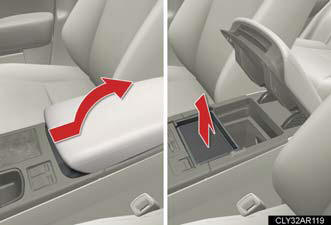
Slide the armrest while pulling up the lever, and lift the armrest.
Remove the upper tray.
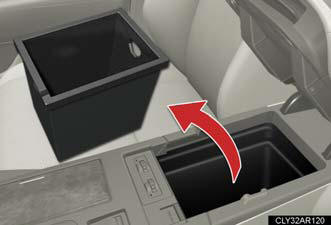
Remove the lower tray.
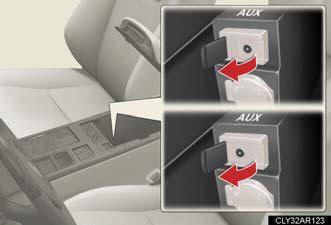
Open the cover and connect the portable audio device.
Press  or
or
 .
.
Operating portable audio devices connected to the audio system
The volume can be adjusted using the vehicle's audio controls. All other
adjustments
must be made on the portable audio device itself.
When using a portable audio device connected to the power outlet
Noise may occur during playback. Use the power source of the portable audio device.
See also:
If the engine will not start
If the engine will not start, even though correct starting procedures are
being followed , consider each of the following points.
The engine will not start even when the starter motor operates
norm ...
Used Lexus ES 350
Models Introduced for 2007, the present-generation Lexus ES 350 essentially
hasn't changed much, making low-mileage, well-kept examples top used car
choices.
The previous generation of the ES, w ...
If the electronic key does not operate properly
If communication between the electronic key and vehicle is interrupted
or the electronic key cannot be used because the battery is
depleted, the smart access system with push-button start and wirele ...