
Horn
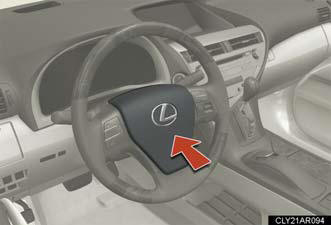
To sound the horn, press on or
close to the  mark.
mark.
See also:
Seat belts
Make sure that all occupants are wearing their seat belts before driving
the
vehicle.
Correct use of the seat belts
l Extend the shoulder belt so
that it comes fully over the
shoulder, but do ...
Seat heaters and ventilators
The seat heaters and ventilators heat the seats and maintain good airflow
by blowing air from the seats.
Seat heaters
1. Turns the seat heater on.
The indicator light comes on.
The higher the n ...
Utility vehicle precautions
This vehicle belongs to the utility vehicle class, which has higher ground
clearance and narrower tread in relation to the height of its center of gravity.
Utility vehicle feature
Specific design c ...